Protect your children online — without living in their settings menu.
CPO blocks what shouldn't reach your child's phone or tablet, right on the device — so it holds even when they're off wifi, on a friend's hotspot, or trying to work around it.

The internet moved into apps. Most filters didn't follow.
A network-level filter can't see inside an app, an encrypted connection, or a VPN a determined teenager found in thirty seconds. CPO enforces on the device itself, so it doesn't need to.
This isn't just a parenting preference — it's documented. Global research bodies including UNICEF have spent years tracking how unrestricted access exposes children to harmful content, exploitation and misuse of their personal information, and how the risk grows the more independently a child moves online. CPO exists to put a real boundary back in place, without switching off the internet's genuine benefits.
Can't be switched off by a determined child
VPNs, private browsing, alternate app stores and uninstall attempts are all blocked and logged — not just discouraged.
One panel for every child, every device
See what's happening across phones, tablets and Chromebooks from a single dashboard — no per-app settings hunting.
Nothing hidden from your child either
Every block explains itself in plain language — so it feels like a boundary, not a mystery.
Three steps, about ten minutes.
Install on your child's device
A guided setup walks you through supervision on iOS, Android, Chromebook or Windows — no technical background needed.
Set your rules
Pick content categories, a daily screen time budget, and a bedtime window. Change any of it any time from your phone.
See what's happening
Your dashboard shows what was blocked, what was allowed, and any attempt to get around the rules — as it happens.
Everything you need, nothing to configure by hand.
Content filtering
Adult content, violence, gambling — plus modern categories like AI chat companions and disappearing-message apps.
Screen time & bedtime
Daily limits and bedtime windows that hold even offline, plus bonus minutes you can grant for chores done.
Tamper protection
VPNs, proxies, sideloading and uninstall attempts are blocked and logged — you'll always know if something was tried.
One dashboard, every child
Manage every child and every device from a single account — approve requests in one tap from your phone.
What you'll see. What your child will see.
Every block names its reason in plain language — nothing silent, nothing confusing.
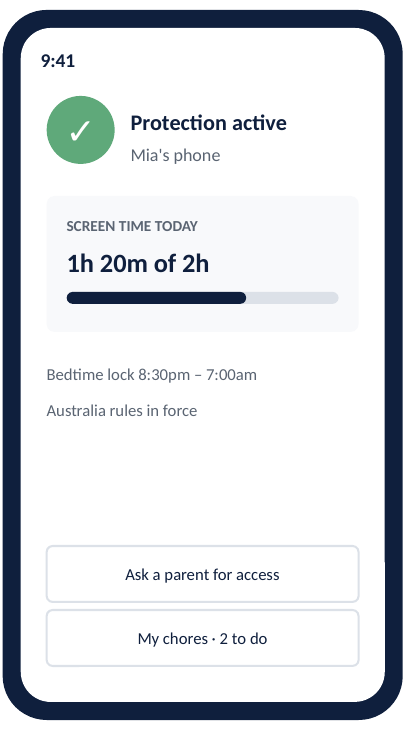
Protection active
Clear status, no hidden state.
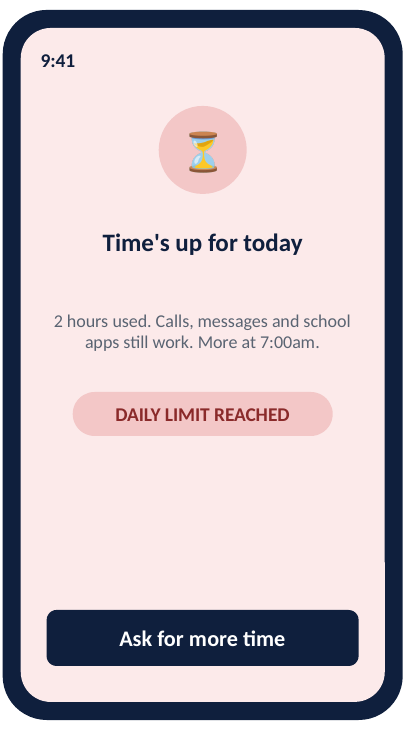
Time's up
Daily budget reached, explained plainly.
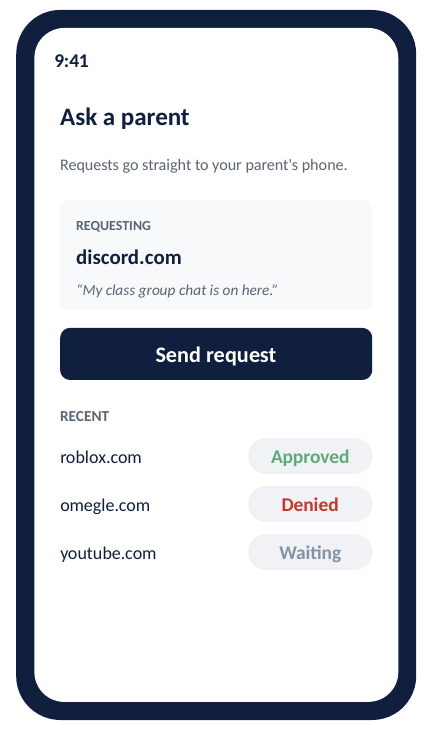
Ask a parent
One tap sends a request straight to you.
Try CPO with your family, free.
We're inviting a small group of parents to test CPO before wider release. You'll get full access at no cost while we're testing — just tell us a bit about your household so we can set you up right.